
FAQ
arrow_back_ios
How to send an automatic confirmation to the customer immediately after the order is completed?
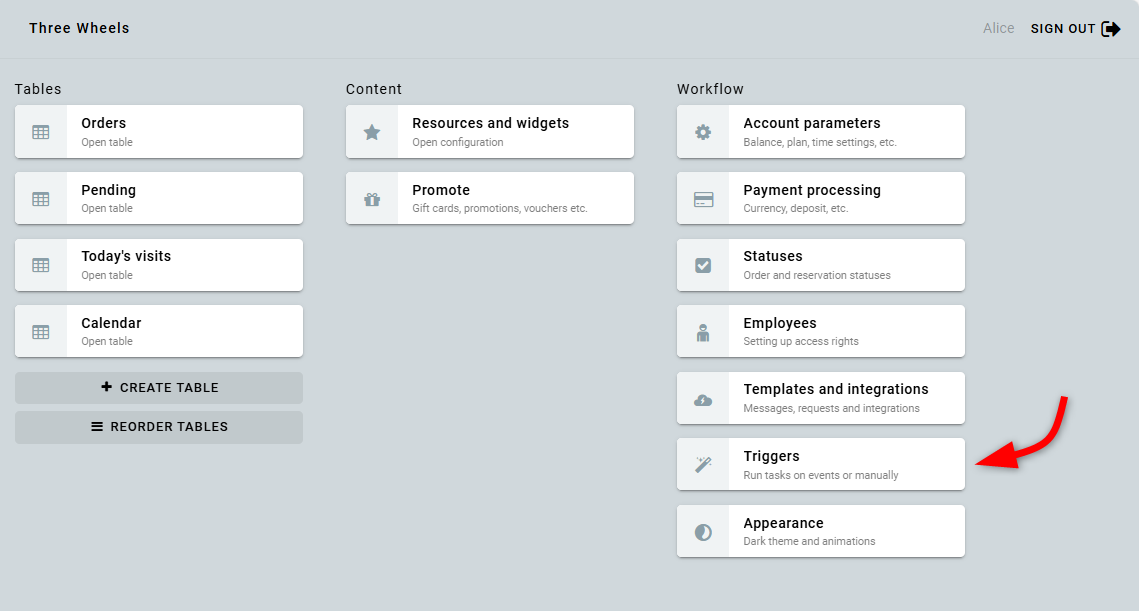
Go to the Triggers section.
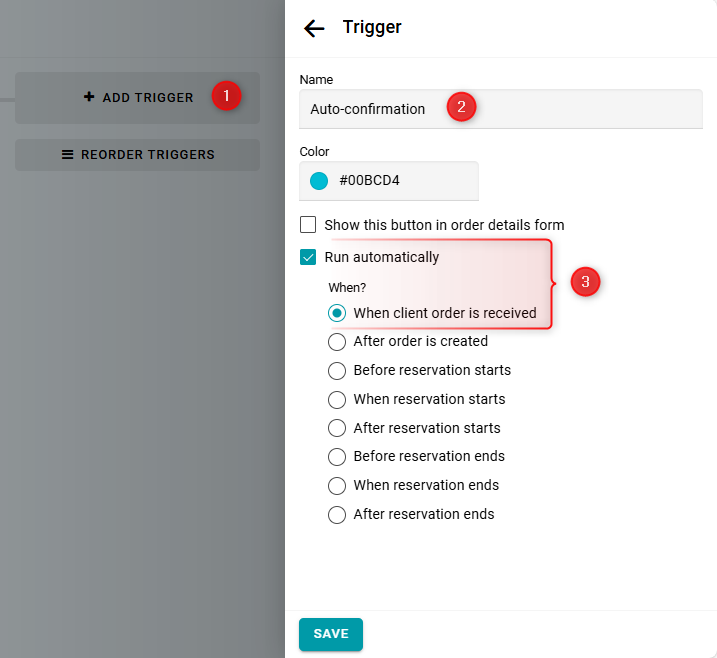
Create an automatic trigger.
It will be executed When client order is received.
It will be executed When client order is received.
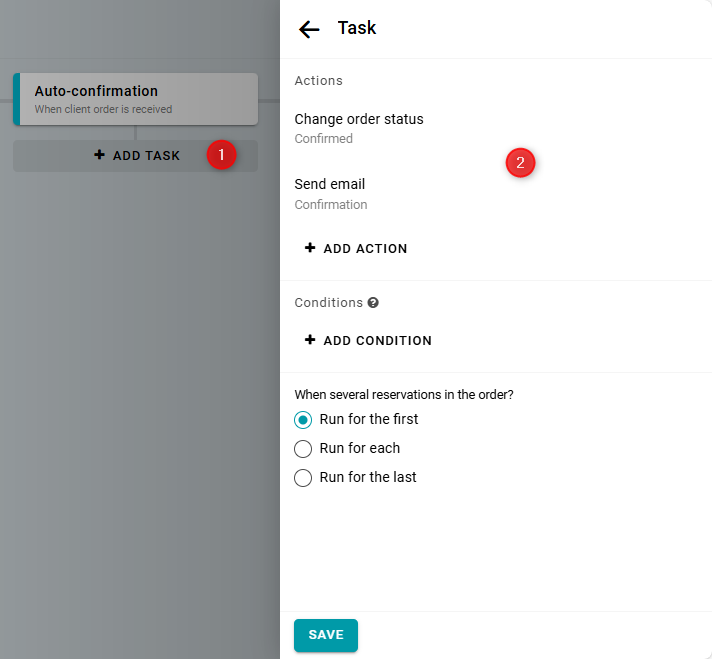
Add a task to the trigger.
Then, add two actions to the task: change the status to "Confirmed" and send a "Confirmation" email.
Then, add two actions to the task: change the status to "Confirmed" and send a "Confirmation" email.
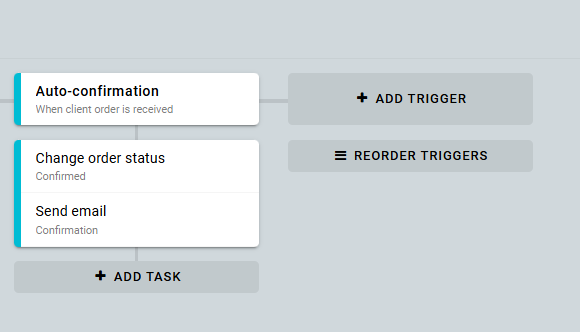
The configuration will look like this:
You can also show an on-screen message to the customer on the final screen of the widget. To do this, add the Display message to client action — see the instruction.
Learn more about how triggers work here.