
FAQ
arrow_back_ios
Can I simplify the reservation form?
Yes. You can configure the system so that clients do not need to select price options or fields. Additionally, you can display the resource calendar immediately when the widget loads.
Open the resource settings and select the Skip reservation page checkbox. For this to work correctly, the resource must have only one price option.
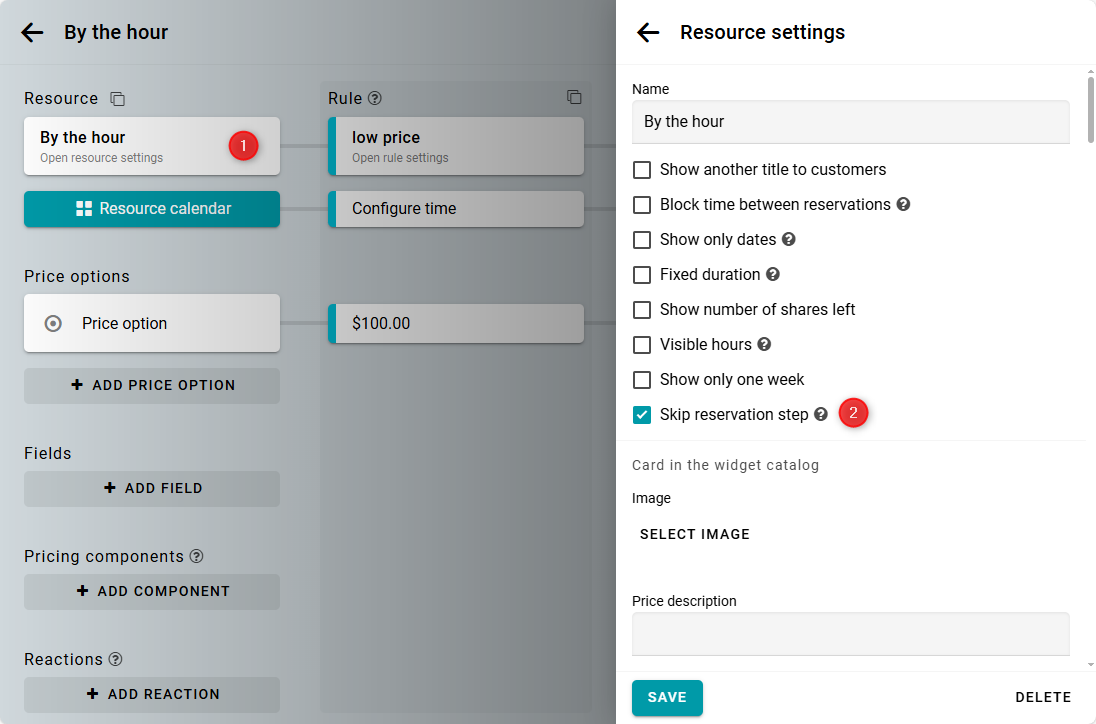
As a result, the price option will be selected automatically, and the cart will be shown to the client.
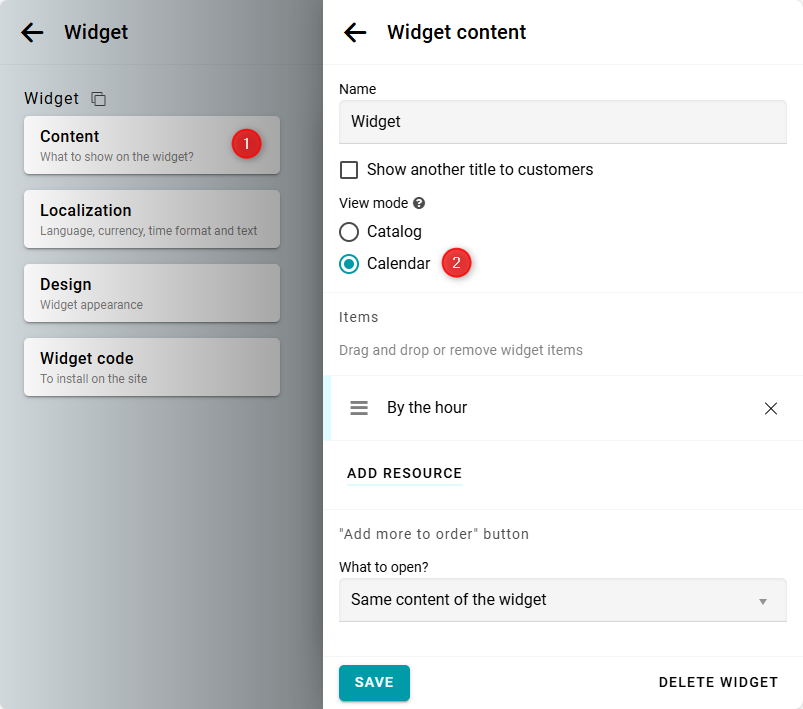
To display the resource calendar immediately, open the widget settings, go to the Content panel, and set the View mode to Calendar.
See an example in action: