
FAQ
arrow_back_ios
How can I get GDPR-compliant consent?
To properly collect client consent in accordance with GDPR requirements, follow these steps in Account settings.
1. Consent to terms and conditions
Select the Request client consent checkbox. Enter the text of your terms or consent, which will be shown to your clients (for example, information about payment and cancellation policies).
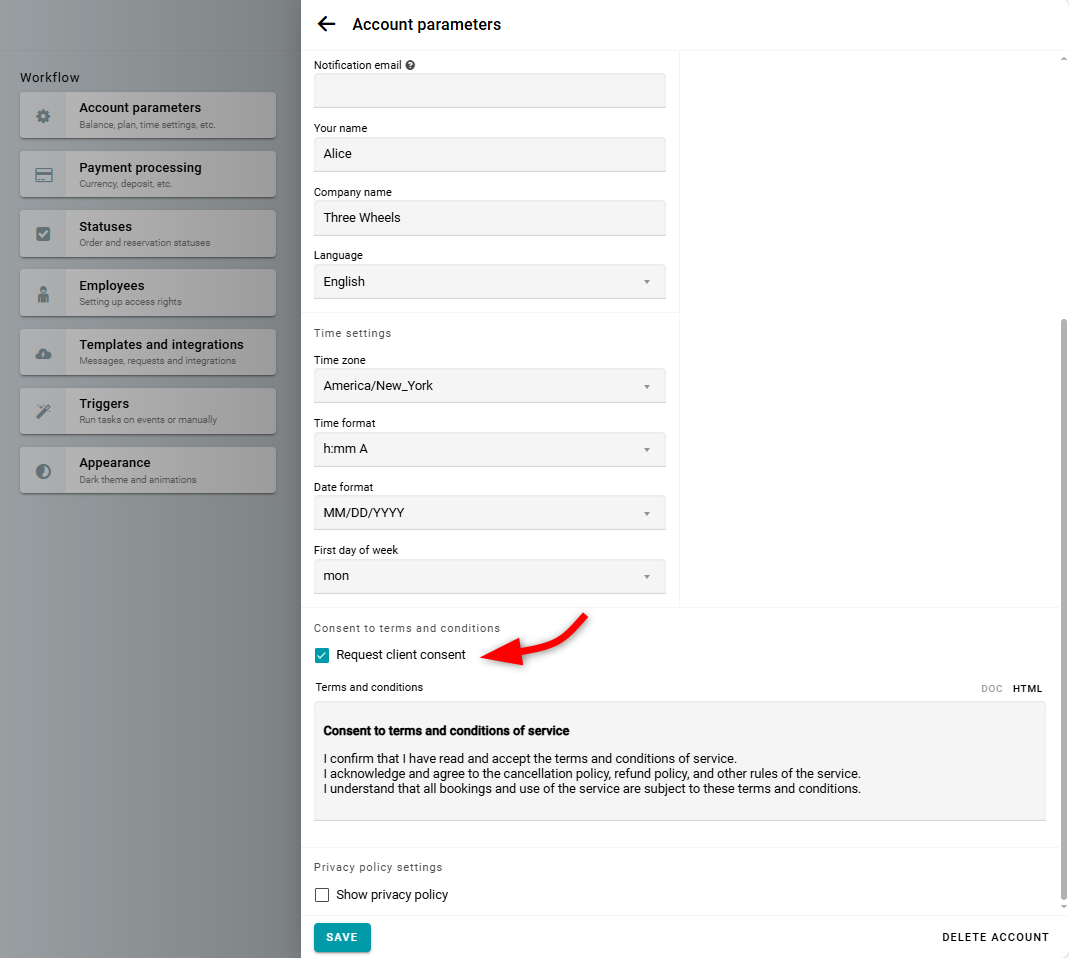
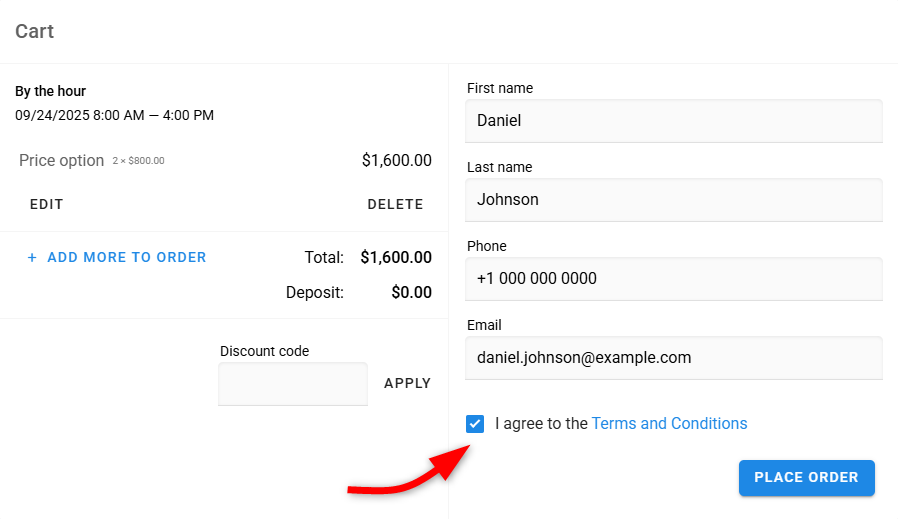
In this case, a required checkbox will appear on the widget, which must be selected before the order can be completed. An example of how this appears on the widget is provided below.
2. Privacy policy settings
Select the Show privacy policy checkbox.
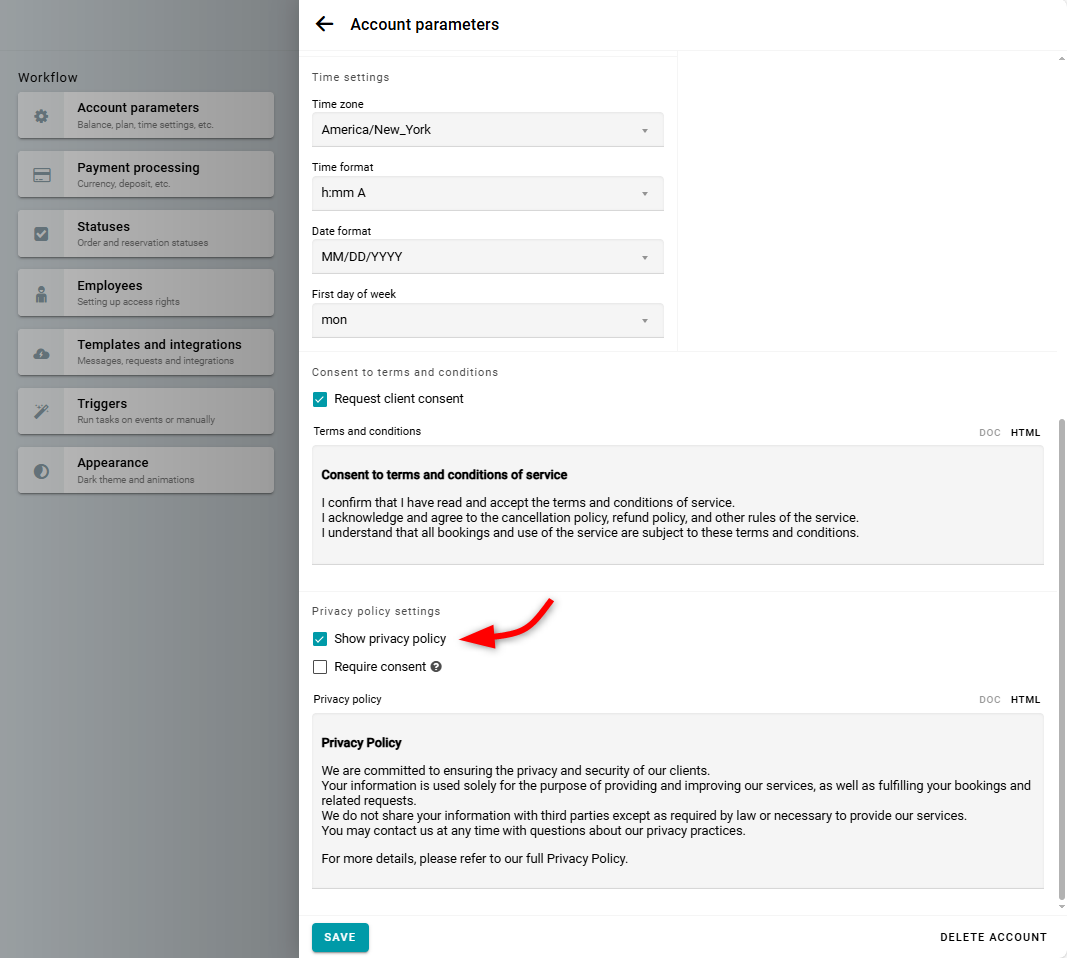
Your privacy policy will be displayed as a link on the widget, allowing clients to review it before completing their order. An example of how this appears on the widget is provided below.
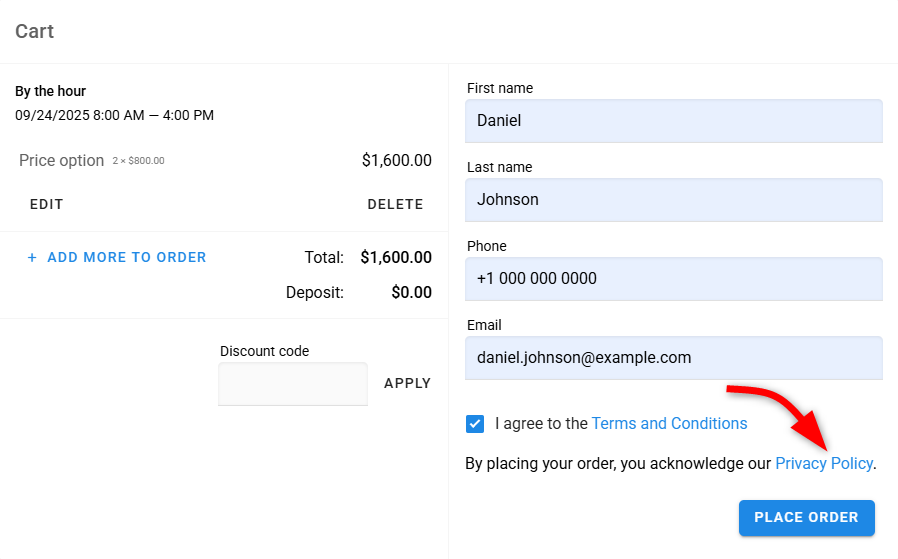
If you want clients to explicitly confirm their agreement with your privacy policy, select the Require consent checkbox.
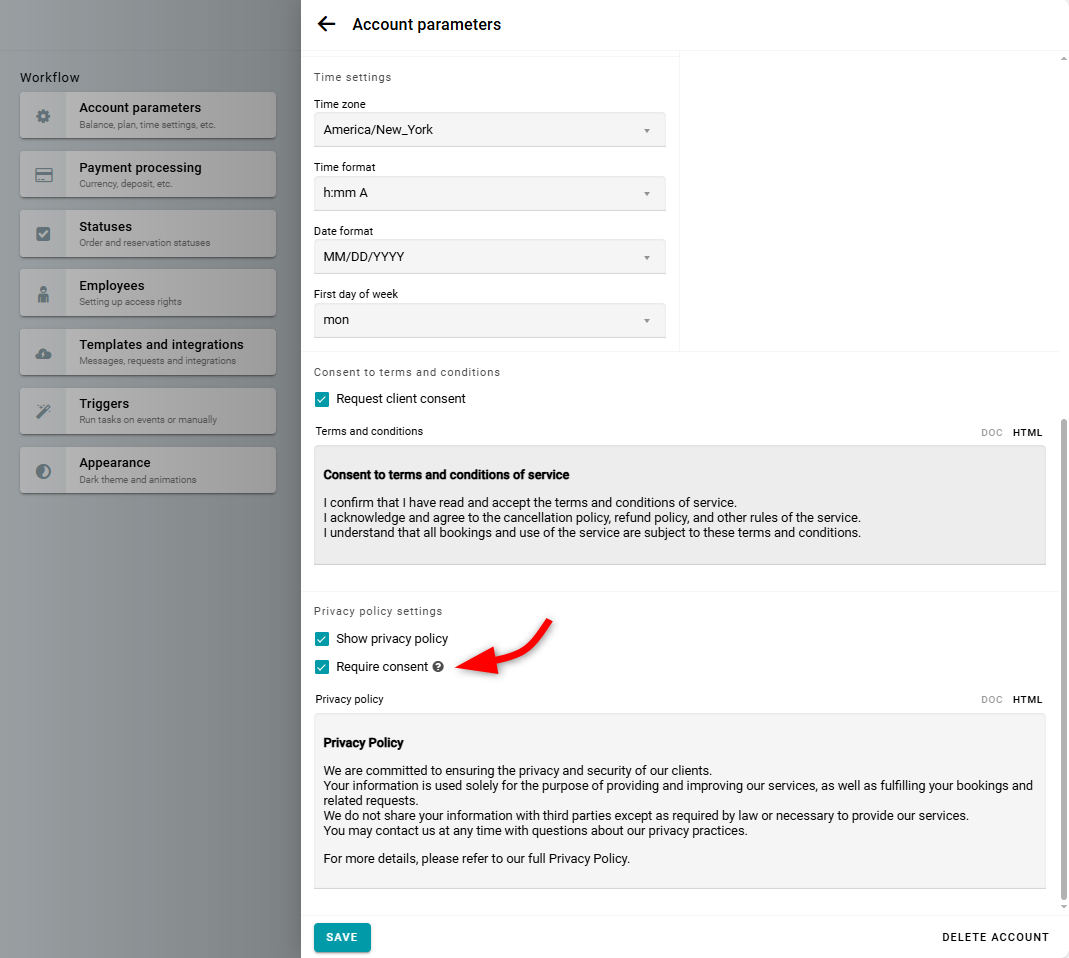
In this case, clients will need to select an additional checkbox to complete their order. An example of this display option is shown below.
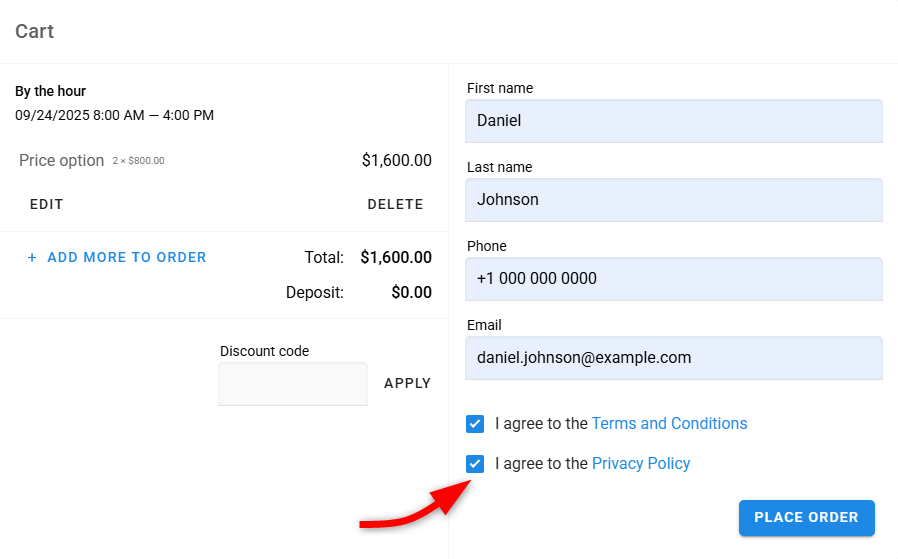
If you want to customize the text of the checkbox labels on the widget, please refer to this guide here.
Make sure your consent and privacy policy texts are clear, and include all required information under GDPR (such as the purpose of data processing, what data is collected, and contact details for data protection queries). You can find an example template for a privacy policy here.